> For the complete documentation index, see [llms.txt](https://kb.ezbiocloud.net/home/llms.txt). Markdown versions of documentation pages are available by appending `.md` to page URLs; this page is available as [Markdown](https://kb.ezbiocloud.net/home/protocols/shotgun-microbiome/create-studies.md).
# Create Studies
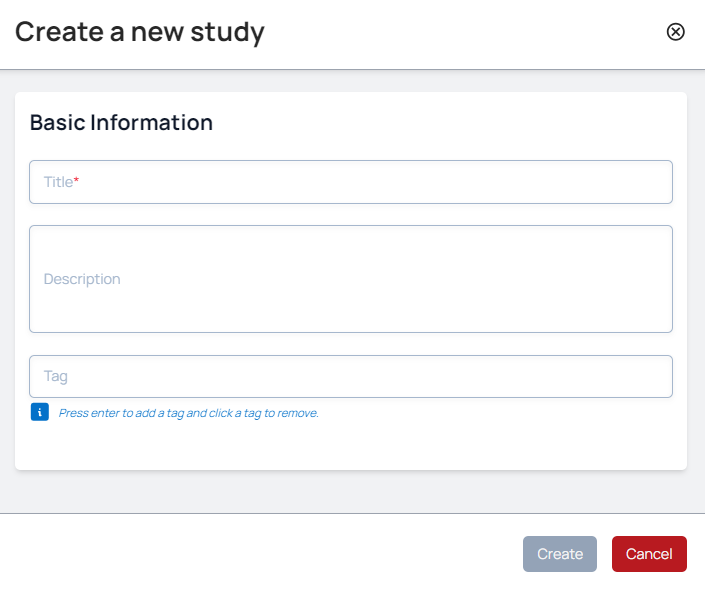
Before analysing datasets, a study needs to be created. Into this study, will we later add profiles of metagenomic runs. These runs can be sourced from archives such as SRA and ENA or private sequencing data.
## Fill-in Basic Information
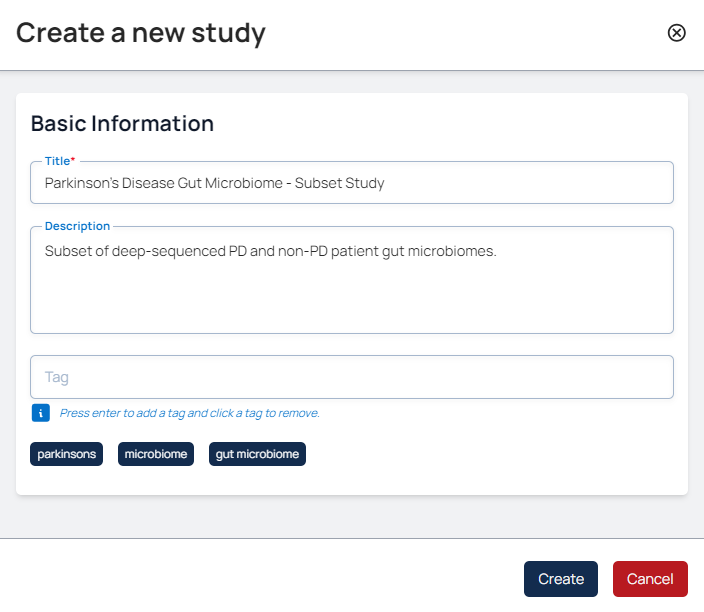
For our Parkinson’s disease public subset example, you can insert the following:
**Title**
Parkinson’s Disease Gut Microbiome – Subset Study
**Description**
Subset of deep-sequenced PD and non-PD patient gut microbiomes
**Tags**
*gut microbiome, microbiome, parkinsons*
{% hint style="info" %}
Note that spaces are allowed but not punctuation marks in ‘Tags’. E.g: 'parkinsons' is accepted but not 'parkinson's'.
{% endhint %}
## Finalise Study
When the information looks correct, select 'Create'.